
Skylanders for City Re-Development - Part One: The Plan + Kafka on Pi Pico
Building An AI Enabled Urban Planning System

Remember Skylanders? The little plastic toys that you could place on a portal, and they’d suddenly magically appear in a game?

As one of my many side projects, i’ve built a version of Skylanders, but for the incredibly exciting world of City Re-Development Planning.
Place a 3D printed building on a sensor, tap an NFC card and watch it fade in a digital city model. Then, generate renders using AI, changing aspects of the building, place the Parthenon, and materialise a version of it as a block of flats!
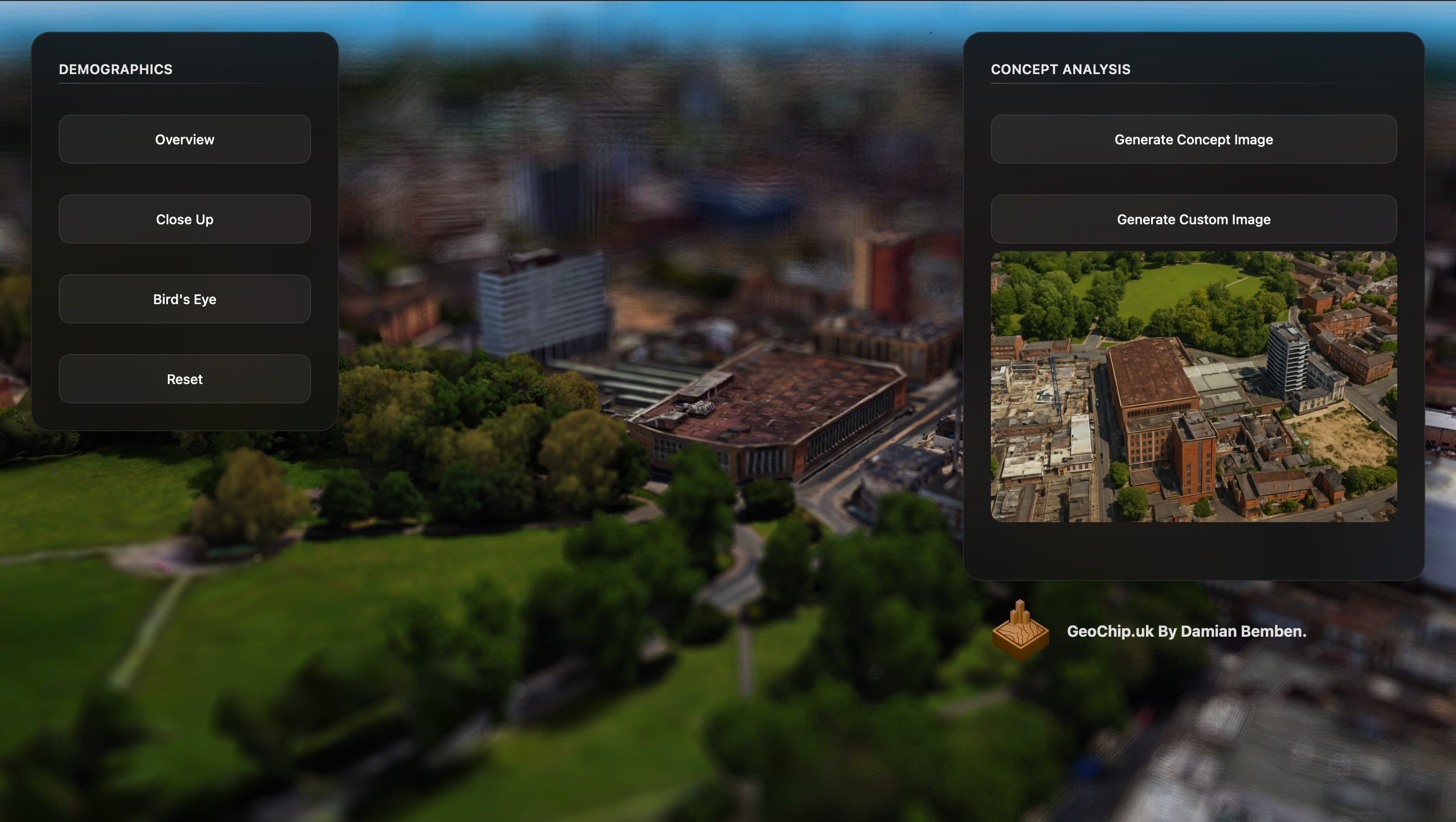
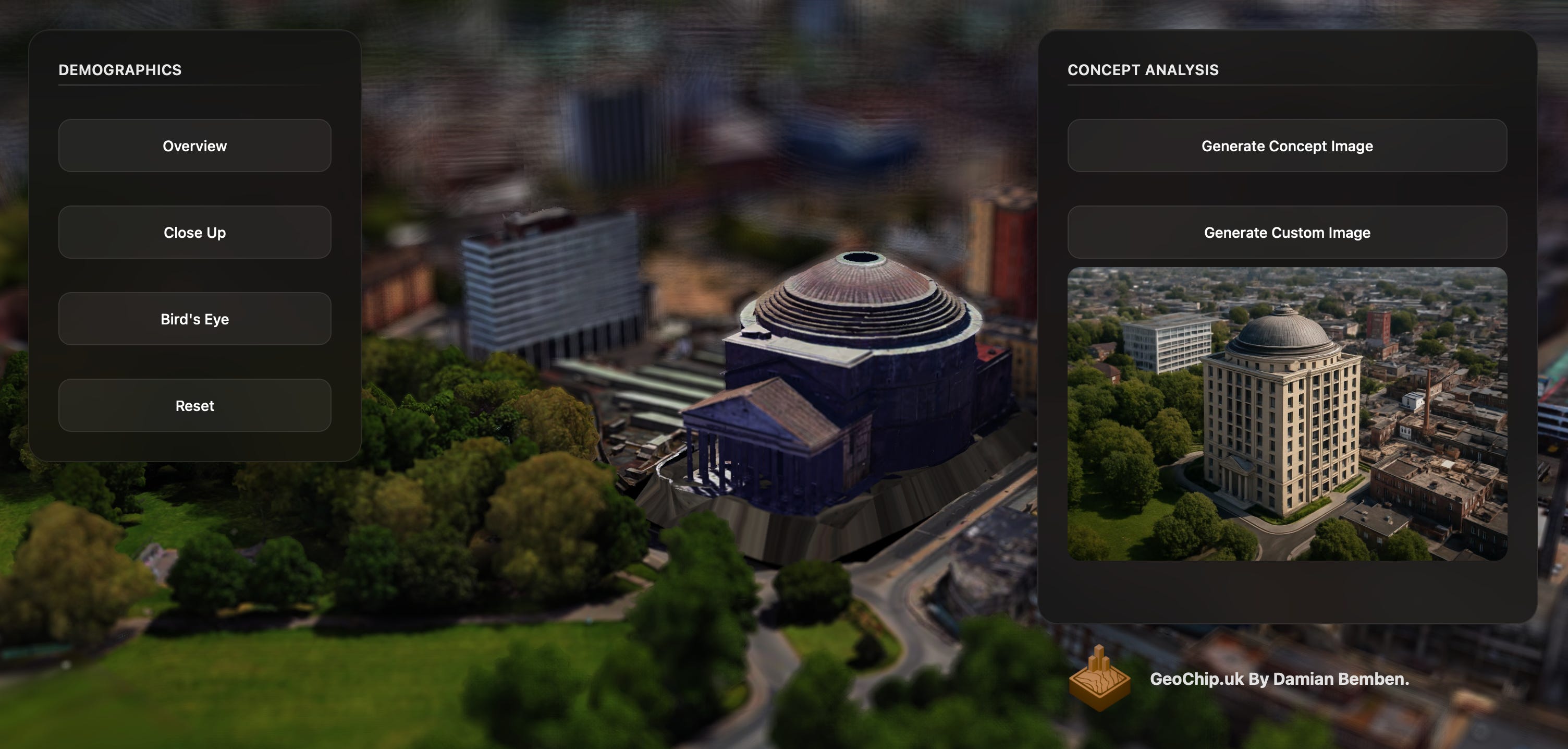
With a little live demo of how it works here:
Cool little demo right?
Unfortunately, I’ve got to be honest here. This Demo has been built onto a house of badly constructed parts, and I need Kafka to fix it, before I can be happy.
Here’s part one of how I used Kafka to upgrade a delicate flower of a project, turning into into a production ready demo
The Problem(s)
Currently, the demo has some pretty significant issues stopping it from being easily maintainable and re-usable. This demo was incredibly delicate, requiring two usb connections, as being incredibly stupid, I wired it directly via usb serial:
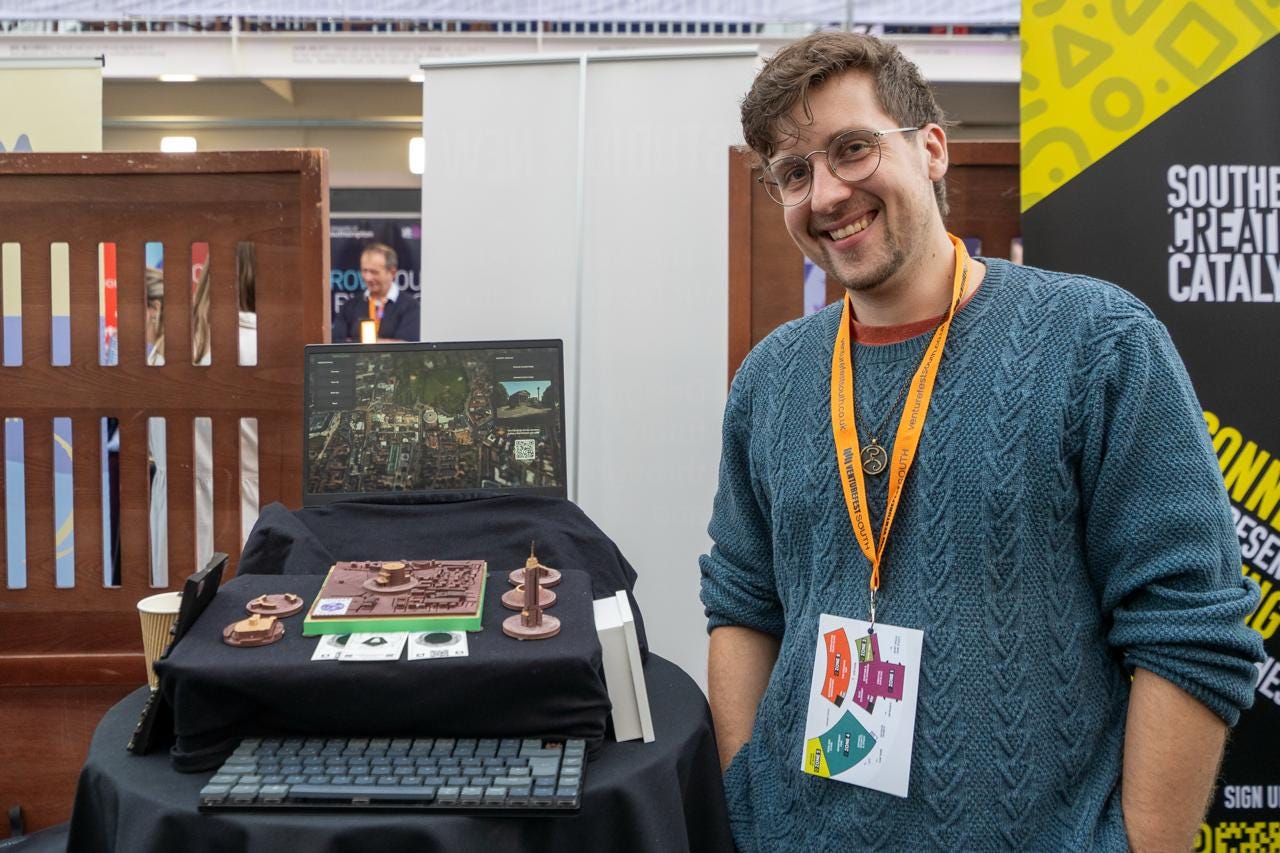
It relies on specific serial board hardware connection for receiving data.
This results in a bunch of ugly wires, and me needing to hide a ton of them.
The hardware connection is faulty at best, relying on reading directly from the bus.
This also meant I had to spread the connection between a windows backend server that can read serial, and the WSL instance I use for most projects
The current architecture is crippling upgrades to the system
The complexity of reading new serial data, adding new sensor readings is crippled. I’m essentially limiting my payload to a single device, when in reality, something like this should extend out to multiple projects in the city!
Bugs within the demo tend not to break cleanly, instead resulting in me needing to completely re-do large portions of the project.
Users struggle to manage the renders for a specific re-development project
Currently, the practical use of the project in urban redevelopment is crippled by the lack of render management.
A user currently cannot manage the visualisations.
I thought - what a perfect opportunity to integrate some Kafka and simplify the process.
The Plan is relatively simple, switch to using Kafka for the communication layer, publish real-time streaming updates for switching locations, allowing the box to be “magic”, while allowing tracking of AI generations created, allowing users to set up sessions.
So how do we achieve that?
The Plan
1. Circuitry Upgrades
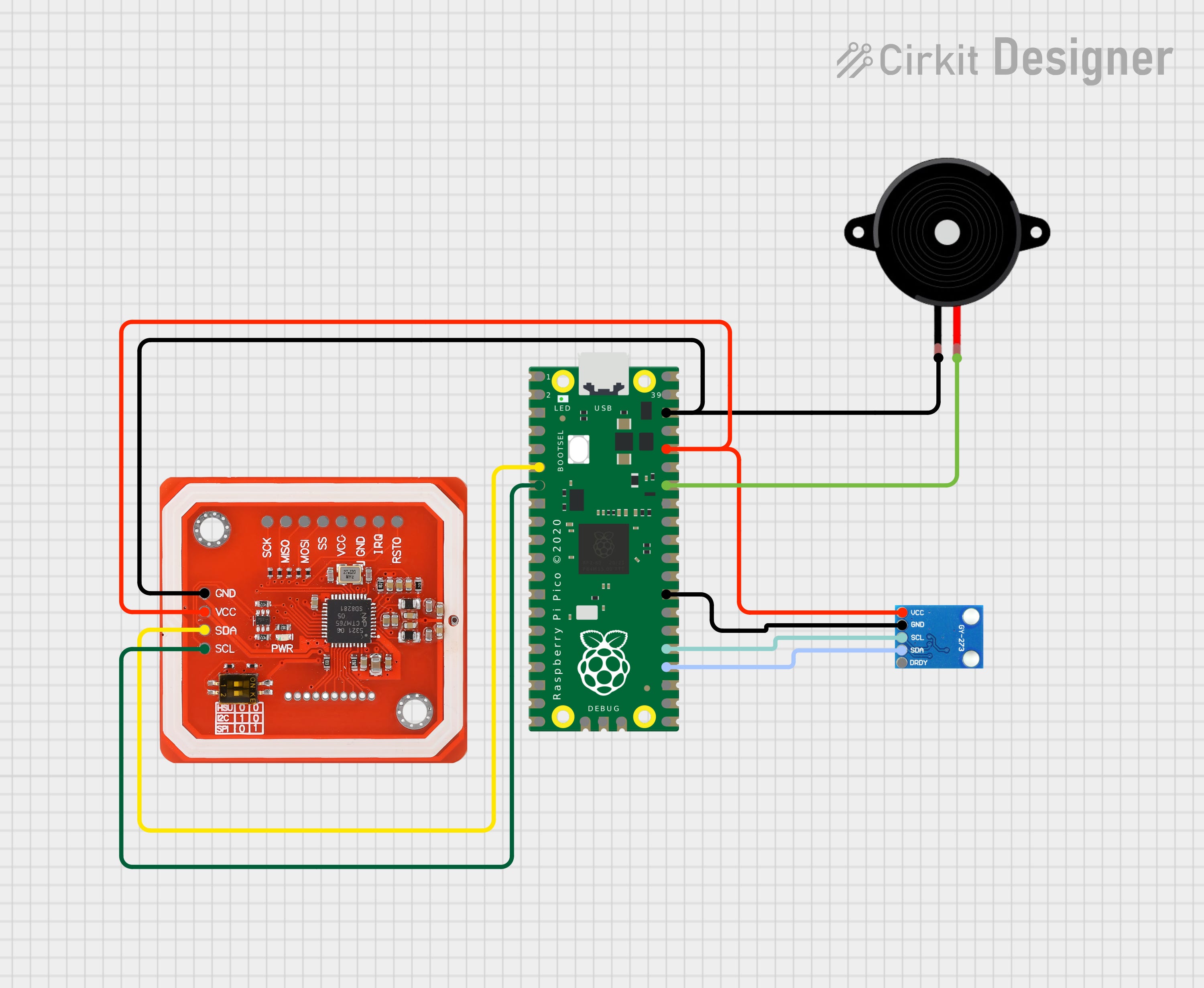
The Circuitry is currently quite simple, consisting of a NFC monitor and a Raspberry Pi Pico 2 W. Currently, it’s acting as a full hardware solution, connecting directly to serial.
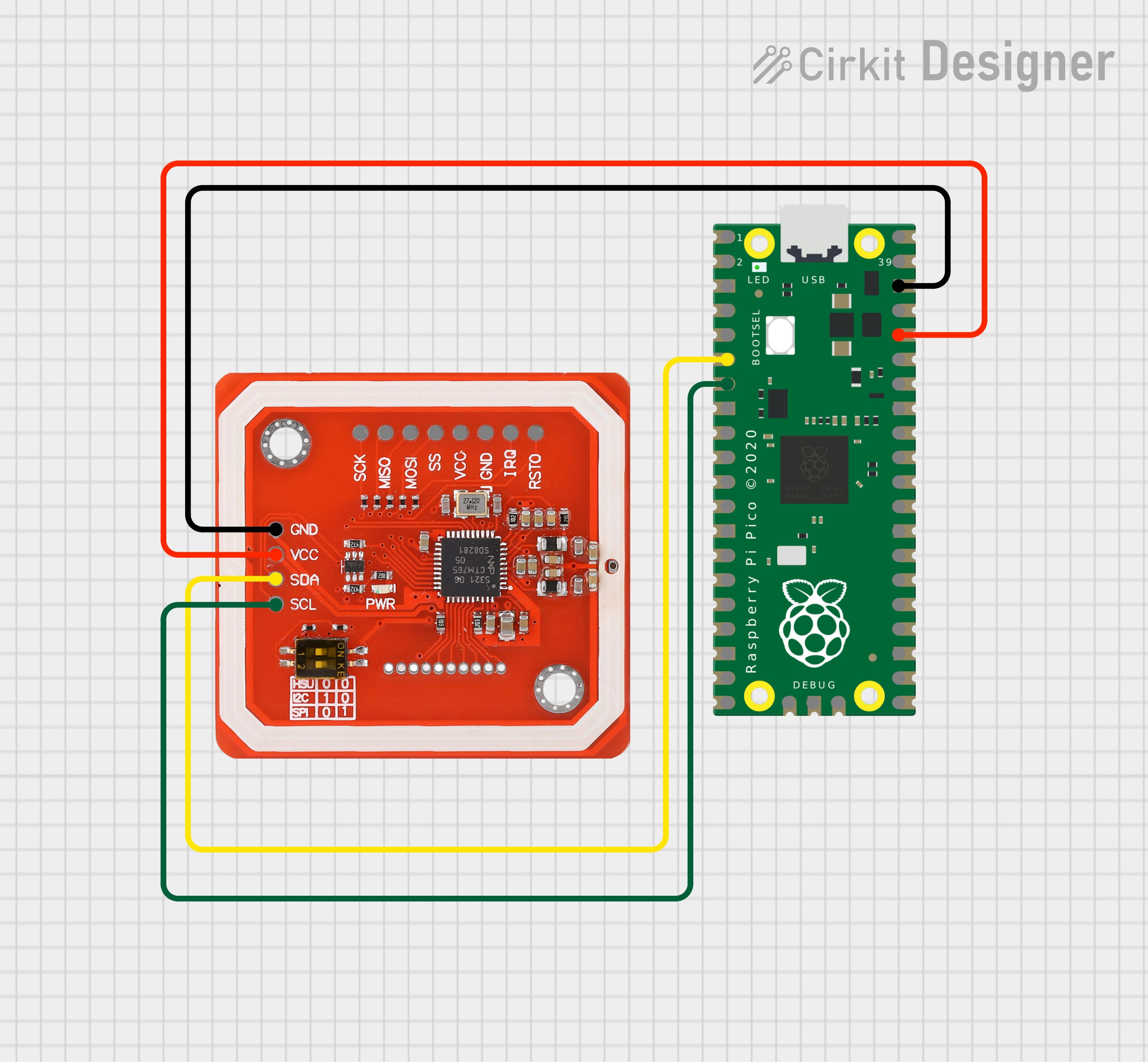
Firstly, to retain the low-tech feel of the project, I want to use a small buzzer to confirm confirmations and changes. This will allow a better tactile response to placing a new building badge. Secondly, I want to introduce a magnetic sensor, allowing users to rotate buildings and test new positioning.
2. Infrastructure Upgrades
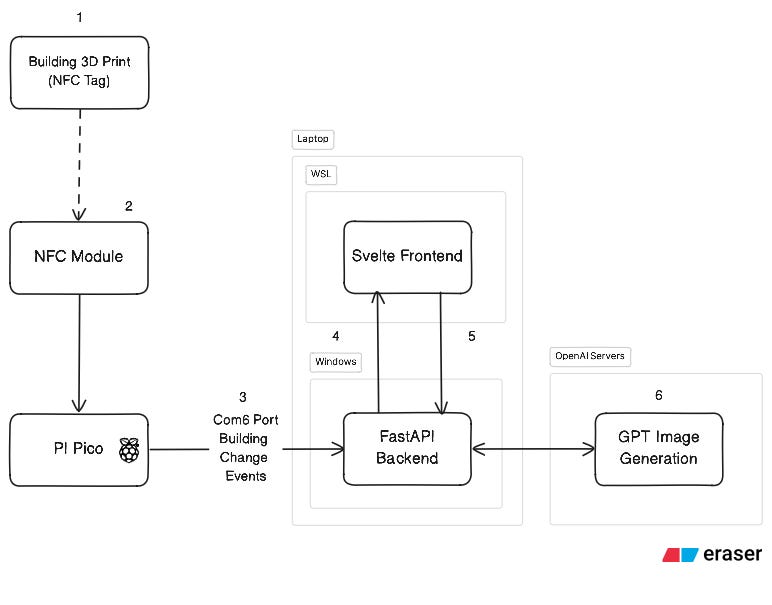
The Infrastructure of the demo is also relatively simple, just faffy and delicate to set up. An NFC tag (1) scans an NFC Module connected to the Pico (2). This sends a signal via serial to the backend, which tells the frontend via Websockets to switch (4). Finally, API Requests to GPT are handled via the frontend.
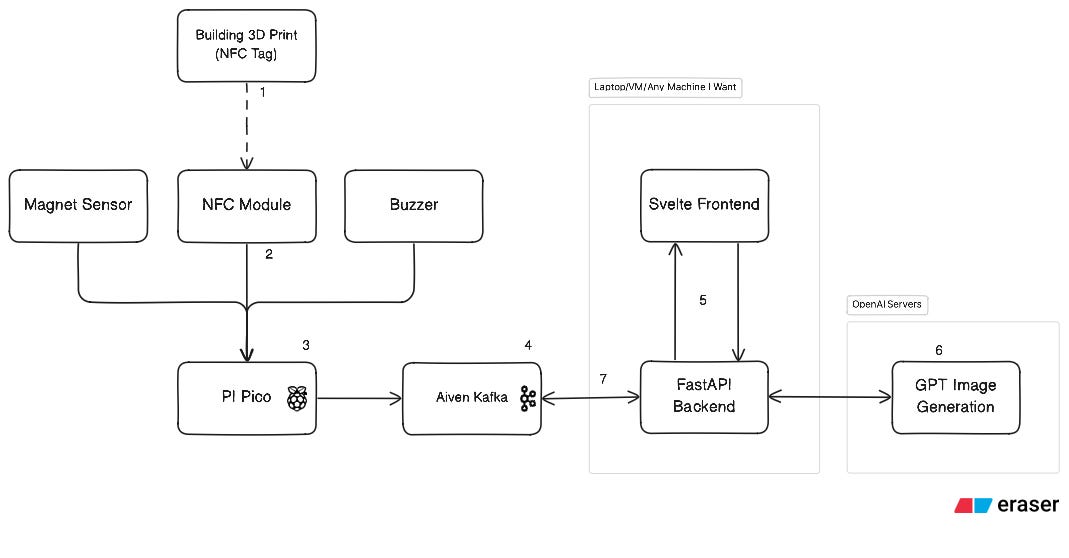
The goal is to resolve the massive issue problems here, from the Windows - WSL double server communication, to the serial port communication. We can achieve this via using Aiven Kafka as a middle-man (4). This will let us introduce more sensors, and better management for the AI aspect of the build.
Initially, I wanted to confirm something, to make sure that it would be possible to switch over to Kafka.
Can I Set Up Pico 2 W with capability to be a Kafka Publisher?
Setting Up the Pico 2 W as a REST Producer
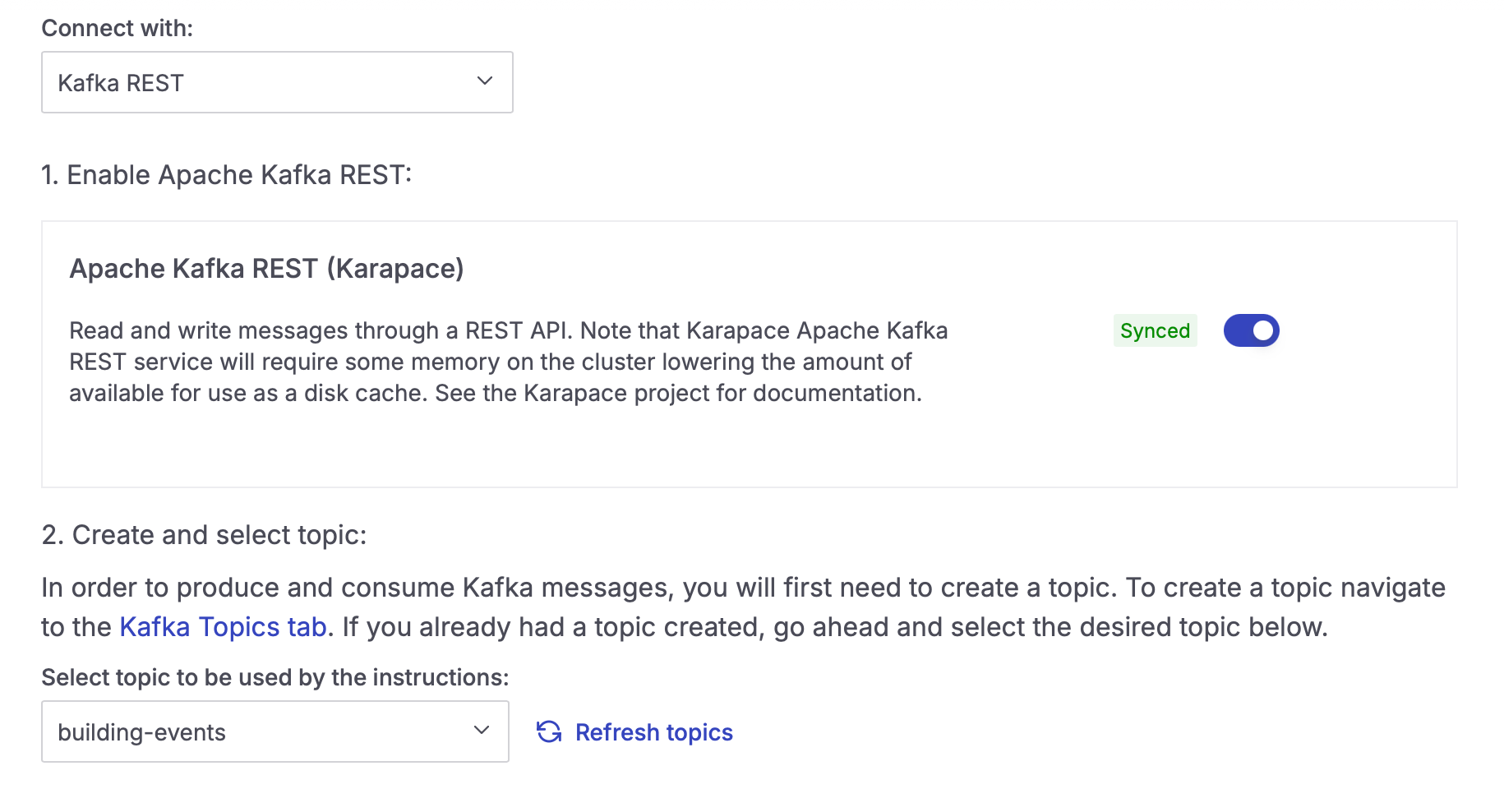
I reached a hurdle early on. Unfortunately, the Pico 2 W is not powerful enough to run a library like kafka-python. Luckily, Aiven gives me the capability to run a Producer via a REST endpoint
.
Enabling this was really simple, just via a toggle switch on the REST API Endpoint to allow Karapace to run.
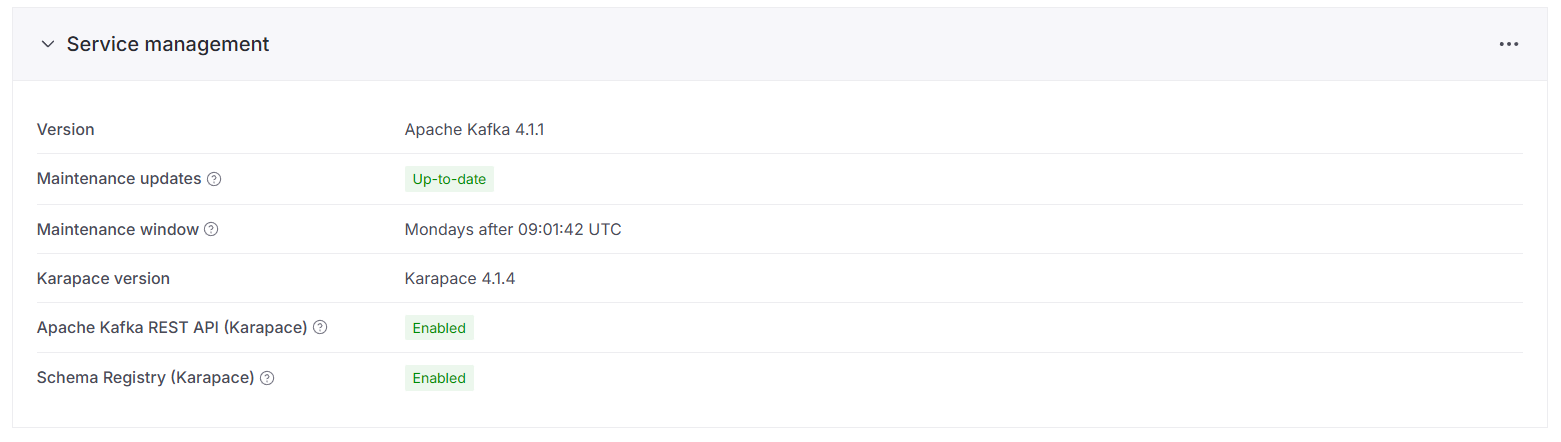
It does reduce the amount of use as a disk cache, but for this project, i’m unlikely to use a large amount of space in the messages.
Then, just some simple MicroPython code to send a REST request to Kafka, and connect to Wifi:
import ubinascii
import urequests

def send_to_kafka(value):
    credentials = ubinascii.b2a_base64(f"{KAFKA_USER}{KAFKA_PASS}".encode()).decode().strip()

    headers = {
        "Content-Type": "application/vnd.kafka.json.v2+json",
        "Authorization": f"Basic {credentials}"
    }

    data = json.dumps({"records": [{"value": value}]})

    response = urequests.post(KAFKA_URL, headers=headers, data=data)
    print(f"Status: {response.status_code}")
    print(response.text)
    response.close()

def connect_wifi():
    wlan = network.WLAN(network.STA_IF)
    wlan.active(True)

    if wlan.isconnected():
        print("Already connected")
        return wlan

    print(f"Connecting to {SSID}...")
    wlan.connect(SSID, PASSWORD)

    # Wait for connection with timeout
    timeout = 10
    while timeout > 0:
        if wlan.isconnected():
            break
        print(".", end="")
        time.sleep(1)
        timeout -= 1

    if wlan.isconnected():
        print("\nConnected!")
        print(f"IP address: {wlan.ifconfig()[0]}")
        return wlan
    else:
        print("\nFailed to connect")
        return None
Running this, we can test a simple set-up of a message:
wlan = connect_wifi()
if wlan:
	test_connection()
	send_to_kafka("Sending a message from the Raspberry PI Pico 2 W!")
Which shows up immediately on the console:
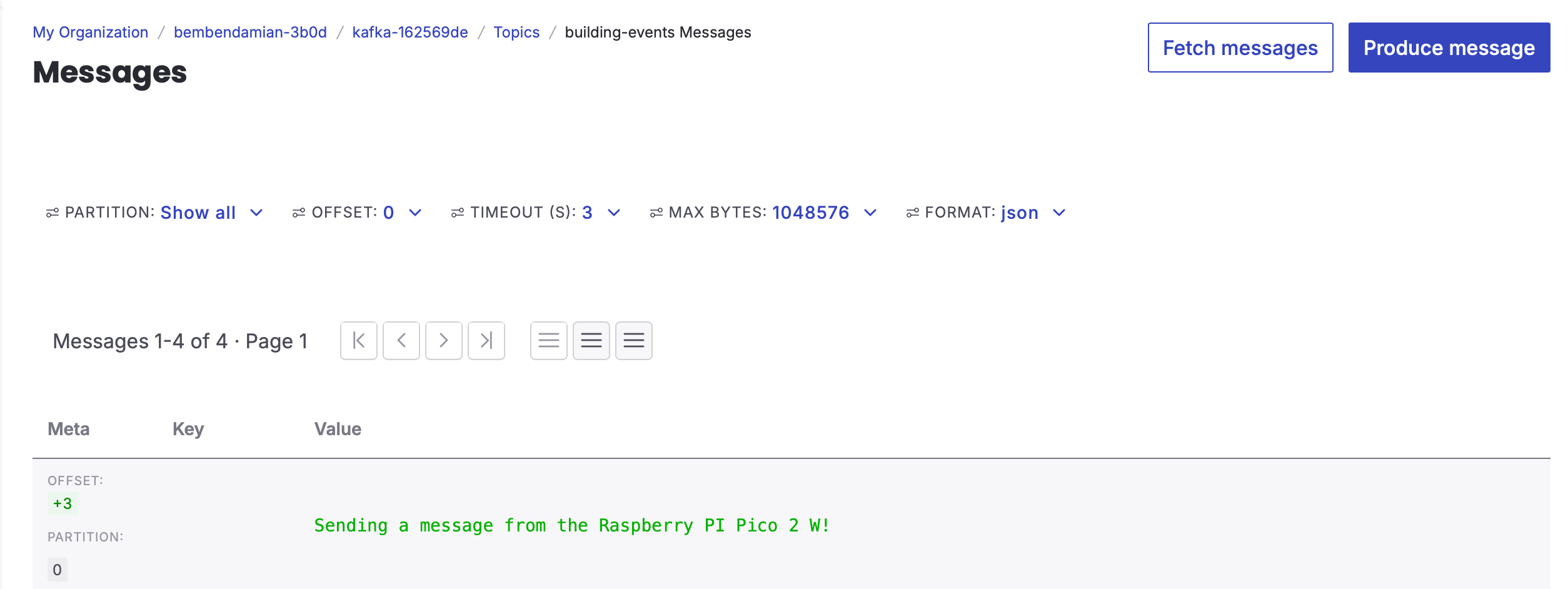
Fantastic! We can now send and receive messages from the Raspberry PI Pico, which means that we now can easily run it. Saving the file as main.py also allows me to be able to run it from a portable battery, solving the first big piece of the puzzle.
Up next - switching over to the new circuitry and turning the cabled demo into a magic box!
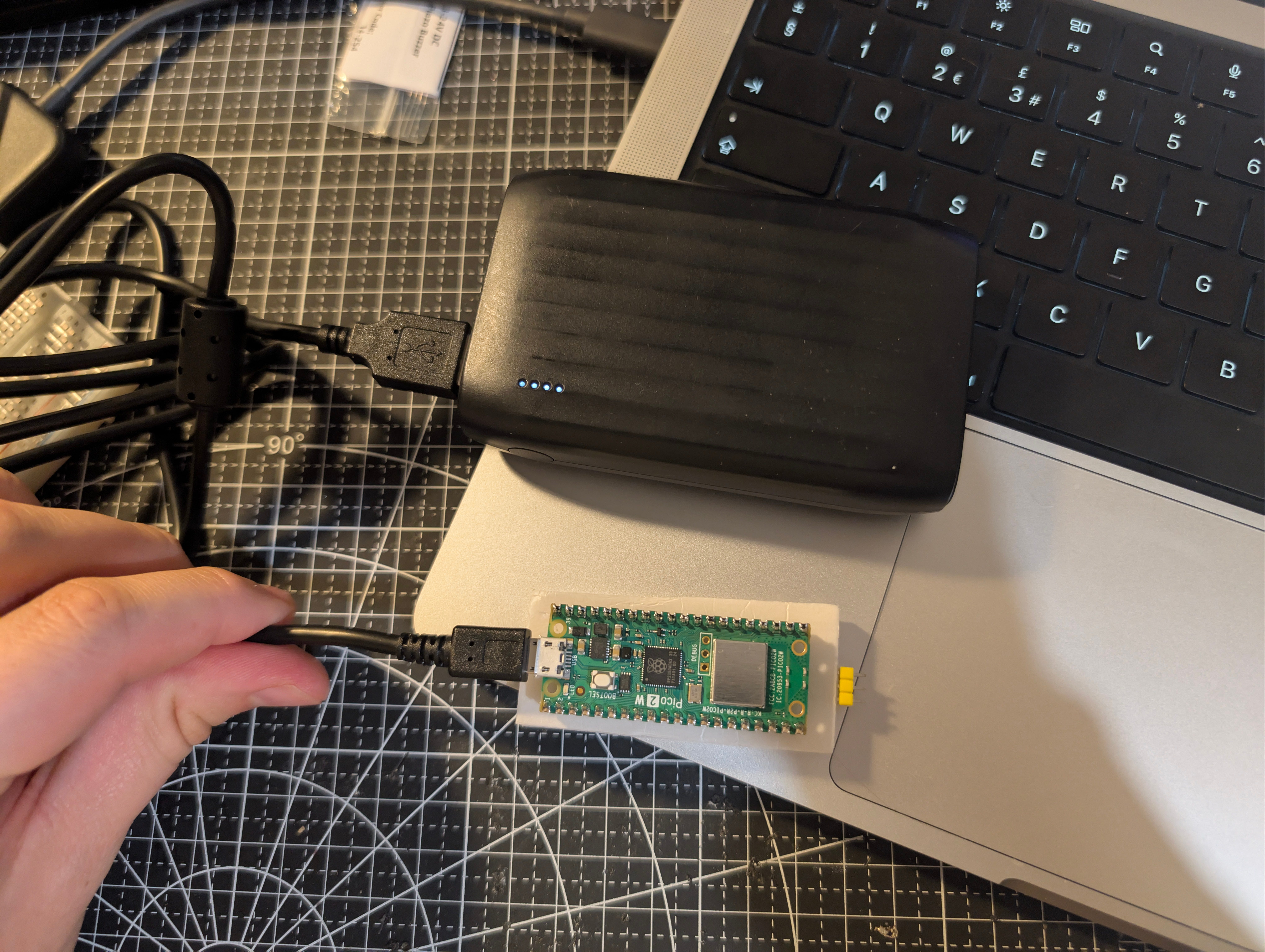
Next time - i’ll show you how I convert the previous direct-to-serial streaming into a far nicer Kafka Publisher/Subscribe topic for FastAPI to ingest, allowing it to become a proper Consumer.
T